If you’re struggling with chronic neck pain or lower back strain, your ergonomic desk setup might be the hidden cause. Like many of you, I spent months assuming that being exhausted after a workday was just part of the job. I blamed long hours and getting older, never realizing that my workstation was the enemy. After months of suffering, I decided to stop guessing and started digging into the science of home office ergonomics. This guide shows how I fixed my computer setup and finally stopped the pain in just two weeks.
1. Why Your Ergonomic Desk Setup Matters
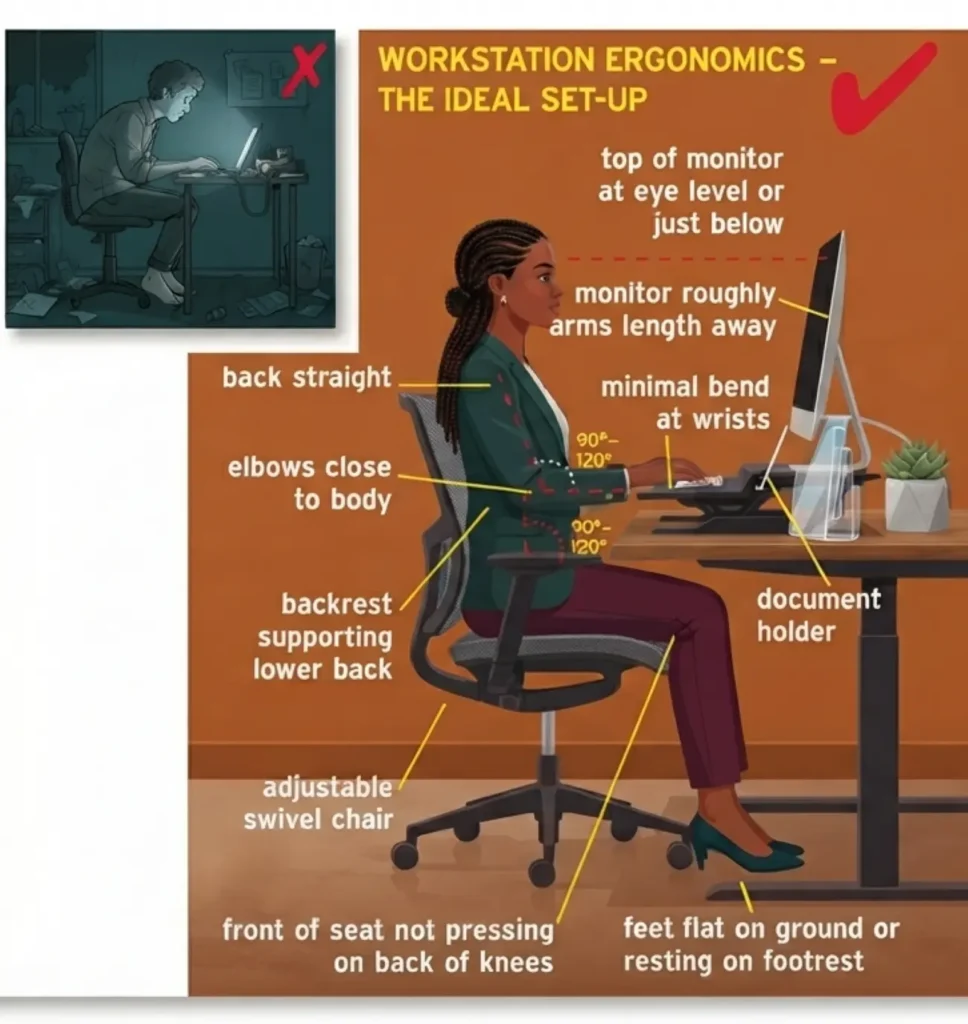
I didn’t realize how much the principles of home office ergonomics influenced my daily energy. My setup looked “fine,” but I was constantly fighting my own body just to stay upright. According to the Mayo Clinic’s guide to office ergonomics, your desk setup should minimize physical stress, not add to it. I learned that a proper ergonomic desk setup isn’t about buying expensive gear—it’s about aligning your body to reduce the mechanical load on your spine so you can focus on your work.
2. The Real Benefits of an Ergonomic Desk Setup
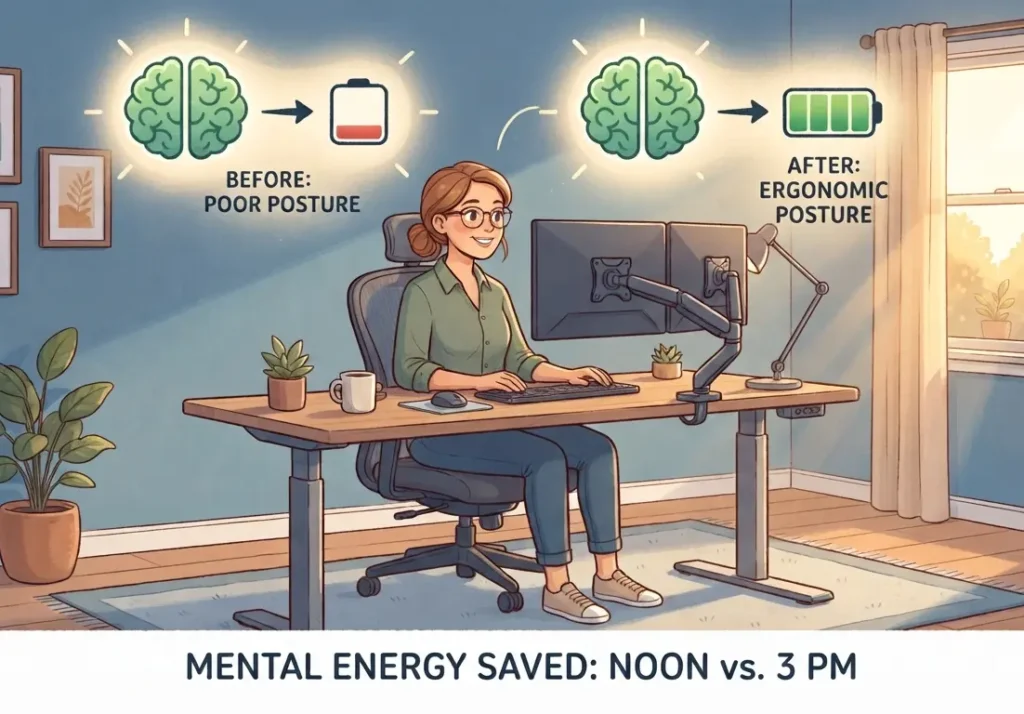
Once I optimized my desk based on the best practices of home office ergonomics, the benefits were immediate. When your body isn’t fighting against a poor workstation layout, you save so much mental energy. I went from needing a nap at 3 p.m. to feeling steady until the end of the day. Proper posture correction acts like a battery saver for your brain, preventing the fatigue that comes from constant physical tension.
3. Standing Desk vs. Sitting Desk: What Works?
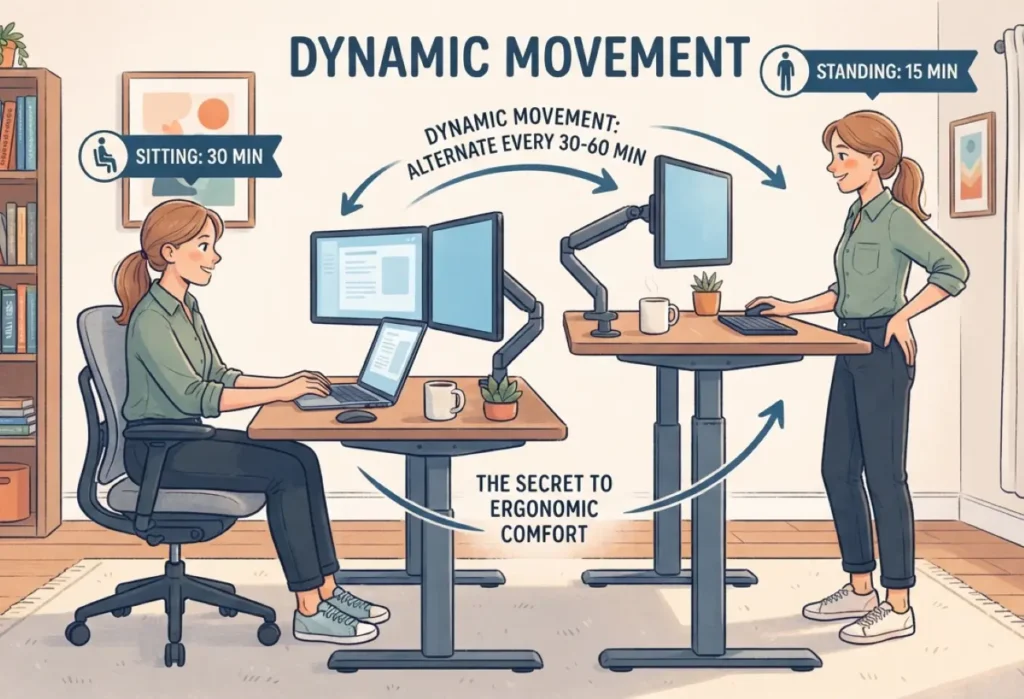
I spent a lot of time wondering if I needed a fancy standing desk. The truth? Neither is perfect if you’re static. I learned from NIOSH (CDC) that both prolonged sitting and prolonged standing can contribute to discomfort. This is why “dynamic movement” is key to effective home office ergonomics. If you use a standing desk, treat it as a supplement, not a replacement. Alternating between the two is the real secret to keeping your workstation comfortable all day long.
4. Essential Equipment for Your Home Office

You don’t need to break the bank to improve your computer setup. Drawing from the core principles found in the OSHA workstation guide, I found that these small changes matter most:
- External Keyboard & Mouse: Essential to keep your shoulders relaxed while your screen is at eye level.
- Monitor Arm or Stand: This is the easiest way to ensure your screen is at the right height, preventing “tech neck.”
- Lumbar Support: Whether it’s a dedicated chair or a simple pillow, supporting the natural curve of your back is a game-changer.
5. Common Myths About Ergonomic Desk Setup
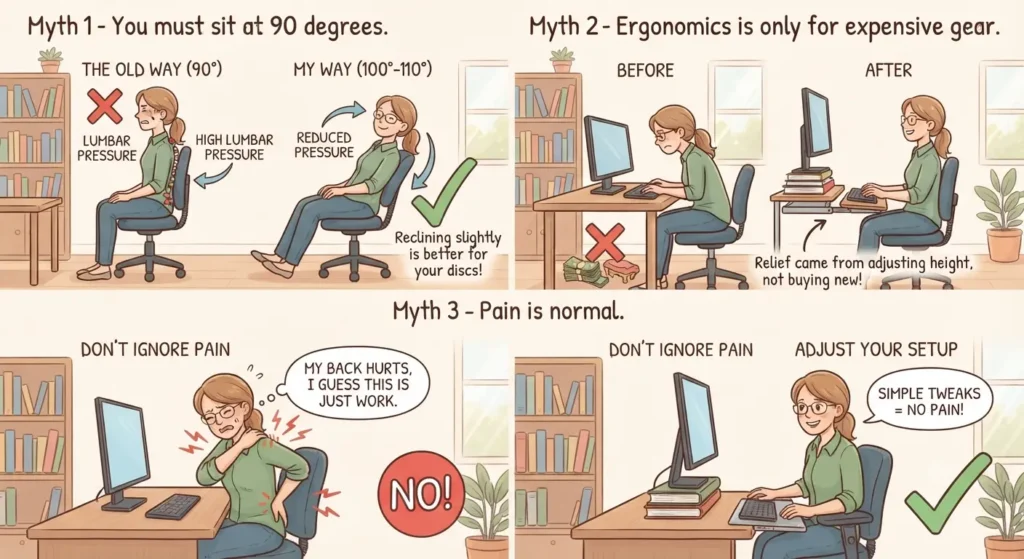
When I was first researching home office ergonomics, I found a lot of bad advice. Let’s clear the air:
- Myth 1: “You must sit at 90 degrees.” My back felt much better when I leaned back slightly to 100°–110°, which reduces pressure on lumbar discs.
- Myth 2: “Ergonomics is only for expensive gear.” Most of my relief came from simply adjusting my screen and keyboard height.
- Myth 3: “Pain is normal.” Your workstation shouldn’t be the reason you hurt; if you’re in pain, your computer setup likely needs a simple tweak.
6. How Long Does It Take to Feel Better?
I know everyone wants an instant fix, but be patient. For me, it took about two weeks of consistent posture correction to stop the daily tension. At first, it felt weird to sit differently, but once your body adjusts to a neutral position, the relief is undeniable. Stick with your new ergonomic desk setup for at least 14 days, and you’ll likely notice the afternoon fatigue start to fade away.
Comparative Analysis: The Impact of Ergonomic Adjustments
| Parameter | “Bad” Setup (Pre) | “Ergonomic” Setup (Post) |
| Head Position | 3-4 inches forward | Neutral (over shoulders) |
| Lumbar Pressure | High (static 90°) | Low (supported 105°) |
| Trapezius EMG | Continuous/High | Intermittent/Minimal |
| Daily Fatigue | High by 2 p.m. | Low/Consistent |
FAQ
Why is reclining slightly better than sitting at a strict 90-degree angle?
Sitting perfectly upright can actually put a lot of pressure on your lower back. Leaning back just a little—to about 100 or 110 degrees—helps spread your weight out and gives your back some relief. It keeps your spine in a more natural, comfortable curve rather than locking it in place. It’s a small tweak that makes a big difference in how you feel by the end of the day.
I only use a laptop; how can I stop my neck from hurting?
Hunching over a laptop is a major cause of neck pain because you’re constantly looking down. Try putting your laptop on a stand or a stack of books to get the screen up to eye level, and use an external keyboard. This lets you keep your head up and your shoulders relaxed while you type. It’s the easiest way to stop that nagging “tech neck” feeling.
Where exactly should I position my monitor height?
Try to keep the top third of your screen right at your eye level. When you do this, you won’t have to tilt your head up or down to see what you’re doing. If your screen is too low, you’ll naturally start leaning forward without even realizing it. A quick height adjustment keeps your neck in a neutral, happy spot.
Why do my shoulders still feel tight even if I’m sitting “properly”?
Even if your posture is great, sitting in the same spot for hours is tough on your muscles. When you don’t move, your muscles get tired from just holding you up. Just make it a habit to stand up, stretch, or walk around for a minute every 30 minutes. Keeping things moving is the best way to stop that stiffness from creeping in.
Do chair armrests actually affect shoulder pain?
They definitely do! If your armrests are too high or too low, your shoulders end up doing all the work to hold your arms up or let them hang awkwardly. Ideally, your armrests should support your elbows so your shoulders can stay completely relaxed and low. When your arms are supported properly, you’ll feel way less tension in your neck and upper back.
Final Thoughts: Your Workspace Should Support You, Not Break You
At the end of the day, I realized that my workspace wasn’t just a place to sit—it was either my biggest ally or my worst enemy. I spent months pushing through pain, thinking it was just part of the “work-from-home” life, but it turns out I just needed to stop fighting against my own body. A properly configured ergonomic desk setup doesn’t just reduce your neck pain; it gives you the physical freedom to focus, create, and finish your day with energy to spare.
You don’t need a massive budget or a complete office overhaul to start feeling better. Start small—move your screen, pull your keyboard closer, and give your spine the support it actually needs. Your body is the only workspace you truly have for your entire career; take care of it, and it will take care of your productivity in return.
Ready to stop the afternoon slump for good? Take 10 minutes right now to check your monitor height and adjust your chair. Your back will thank you by the time 3 p.m. hits tomorrow!